
A picture book manuscript can be finished and still be only half a book. In most picture books the words and the pictures split the storytelling work. The text gives you the voice, the rhythm and what the characters say. The illustrations show where everyone is, what they look like and, often, the joke the words leave out.
First-time authors tend to write the text, polish it for months and then hit a wall when it’s time to think about pictures. Planning the illustrations page by page, before anyone draws anything, makes the rest of the process much easier. It also shows you which parts of the manuscript are doing work the pictures could do better.
Know the format you are writing for
Most picture books are 32 pages. Printers fold large sheets into groups of pages called signatures, usually eight pages at a time, so 24, 32 and 40 pages are the common lengths and 32 is the default.
Those 32 pages are not all story. The title page, copyright page and sometimes a dedication take up the first few, which usually leaves about 12 to 14 spreads for the story itself. A spread is two facing pages seen together, and it’s the unit most illustrators think in. Some spreads hold one big picture across both pages. Others hold two separate scenes, one on each side.
Word counts for modern picture books are short. Many editors prefer manuscripts under 500 words, and few go much past 800. If yours is longer, the planning steps below will often show you where to cut.
Break the manuscript into scenes
Print your manuscript and read it aloud with a pencil in hand. Draw a line every time something changes: the place, the time of day, who is there, or how the main character feels. Each section between two lines is a scene, or a “beat.”
Aim for somewhere between 12 and 16 beats. If you only find six, the story probably needs more happening, or some moments need to stretch across more than one page. If you find thirty, some beats can merge, and some of what you’ve written in words can move into the pictures.
Give each beat a one-line summary. “Fox leaves the den at sunrise.” “Fox meets the heron, who won’t share the river.” These summaries become your shot list.
Map scenes to spreads and plan the page turns
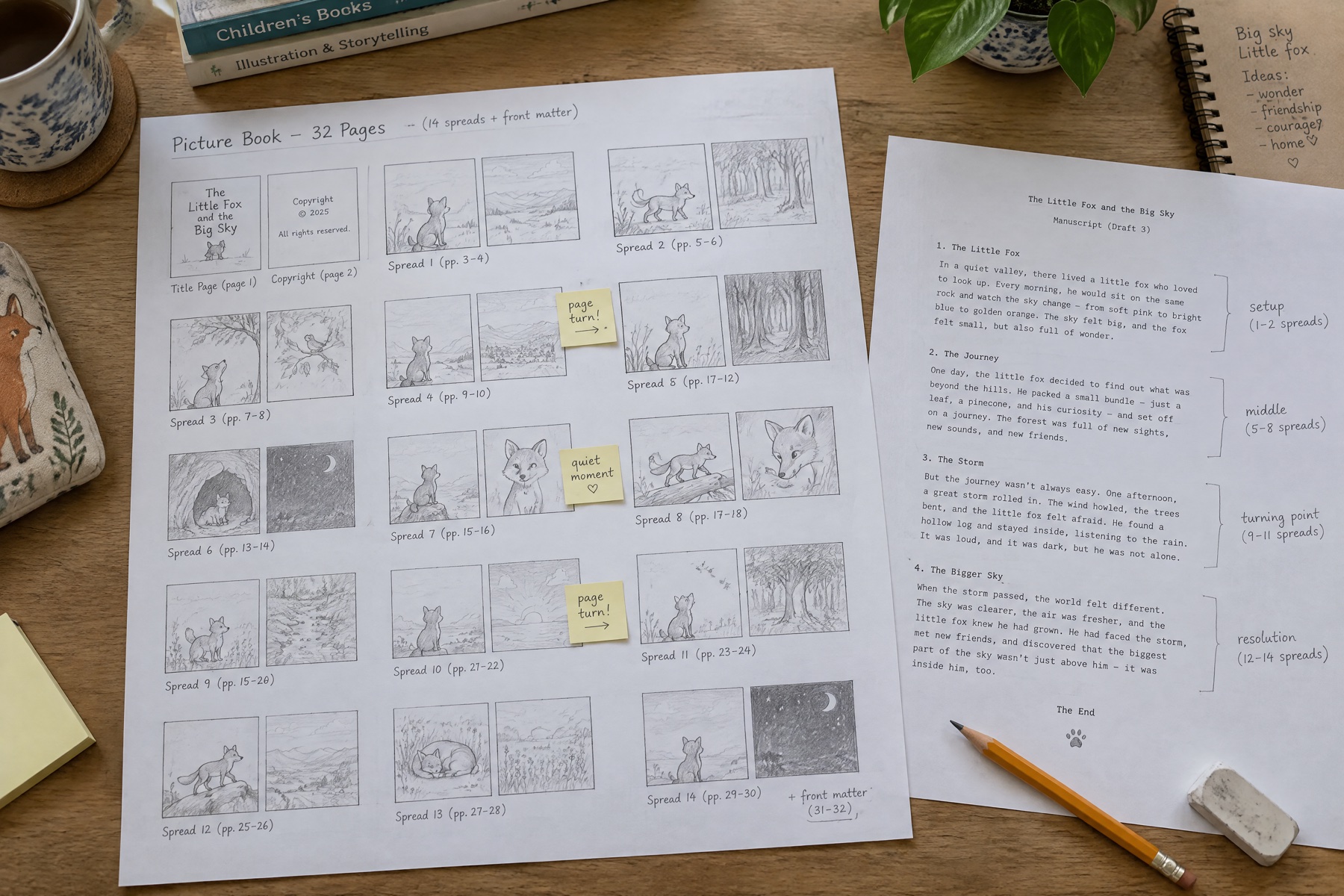
Now draw a thumbnail plan, often called a dummy. Sketch 16 pairs of small rectangles, one pair for each spread, and mark which pages hold the front matter. Assign each beat to a spread. Stick figures and arrows are fine. The plan only has to make sense to you.
A picture book planning sheet on a desk: a 32-page thumbnail grid with spreads labelled 1 to 14, rough pencil sketches of a small fox, sticky notes marking a page turn and a quiet moment, and the manuscript beside it with sections bracketed
Pay most attention to the page turns. Turning the page is the one bit of drama a printed book offers that a screen doesn’t. A good page turn works like a cliffhanger. The right-hand page asks a question, such as “And behind the door was…”, and the next spread answers it. Place your biggest surprises and reveals right after a turn.
Vary the pace too. Follow a busy, crowded scene with a quiet one. Use a full-bleed spread, where the picture runs to every edge, for the biggest emotional moment, and smaller vignettes for quick sequences such as a character trying three things in a row.
When you finish, read the dummy front to back as if you were a child turning the pages. If two spreads in a row show the same thing, cut or merge one.
Define your characters before any illustration exists
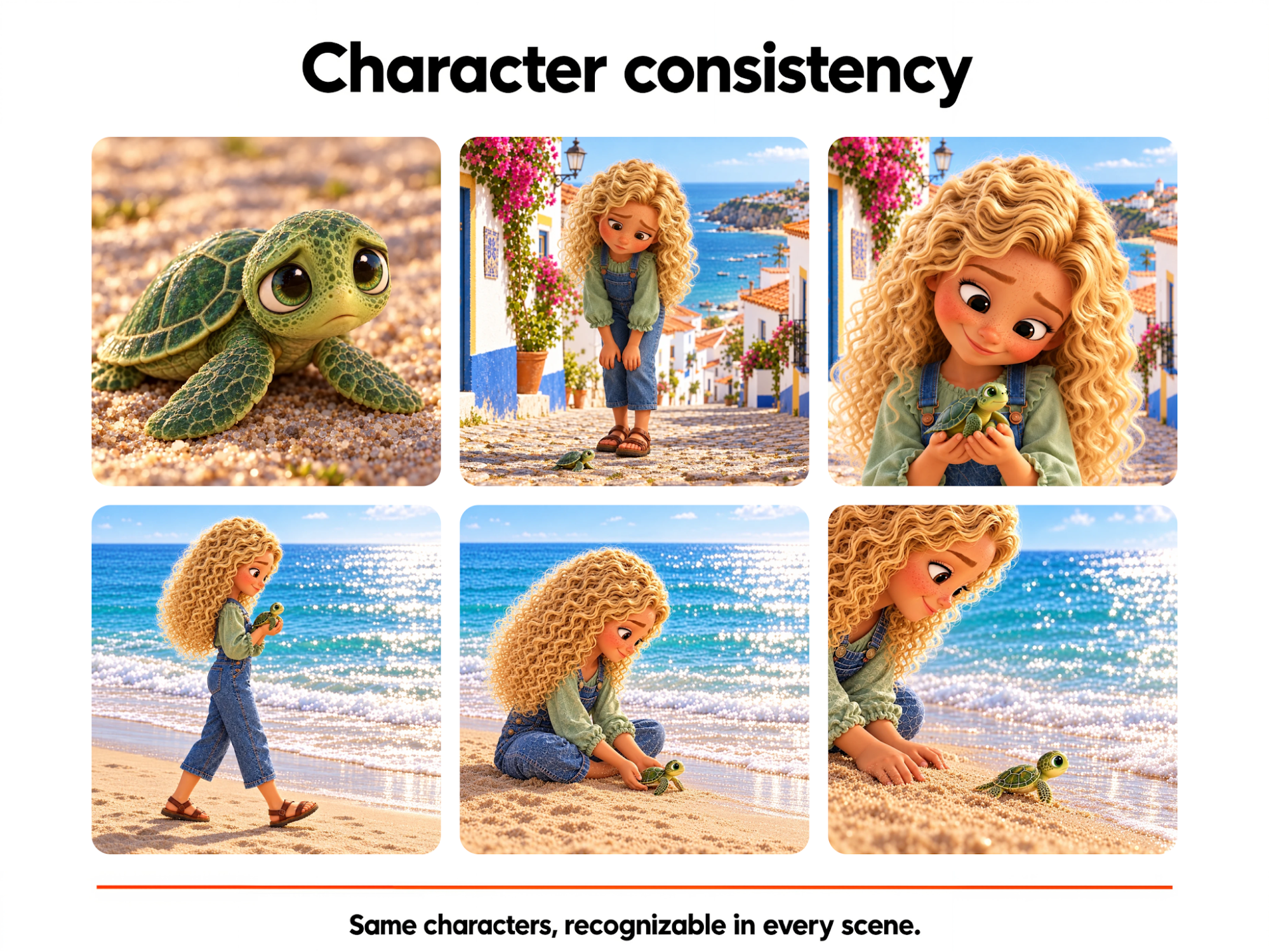
Before the first picture gets made, write a short character list. For each character who appears more than once, note age, size relative to the others, hair, skin tone, clothing, and one signature item: a red scarf, a missing tooth, a too-big backpack.
This list matters whether you hire an illustrator or illustrate the book yourself. In a 32-page book, the main character can appear twenty or thirty times. If her scarf changes color or her face changes shape between spreads, young readers notice, and the book loses some of its spell.
AI tools have historically been weak at exactly this, because general image generators drift from one image to the next. Tools built for picture books, such as Neolemon, work differently. You create a character once and then place that same character into new scenes, poses and expressions while the face, outfit and proportions stay locked.
Six illustrations of the same girl and turtle across different scenes, from a coastal village street to the beach, showing both characters staying recognizable
Write illustration notes only where they help
Go through your manuscript and add an illustration note wherever the picture needs to show something the text doesn’t say. If the text reads “Mia was sure nobody would notice,” and the picture should show the entire class staring at her, that needs a note. If the text says “Mia walked to school,” it doesn’t.
Keep notes short and put them in brackets. If you’re submitting to a traditional publisher, use them sparingly. Publishers pair manuscripts with illustrators themselves and usually prefer to leave the visual choices to the artist. If you’re self-publishing and illustrating the book yourself, the notes become your working brief for every page.
Each note should answer four questions: who is in the picture, what are they doing, where are they, and how do they feel. “Mia, red raincoat, standing alone at the classroom door, everyone turned to stare, she is trying to look brave” gives you everything you need.
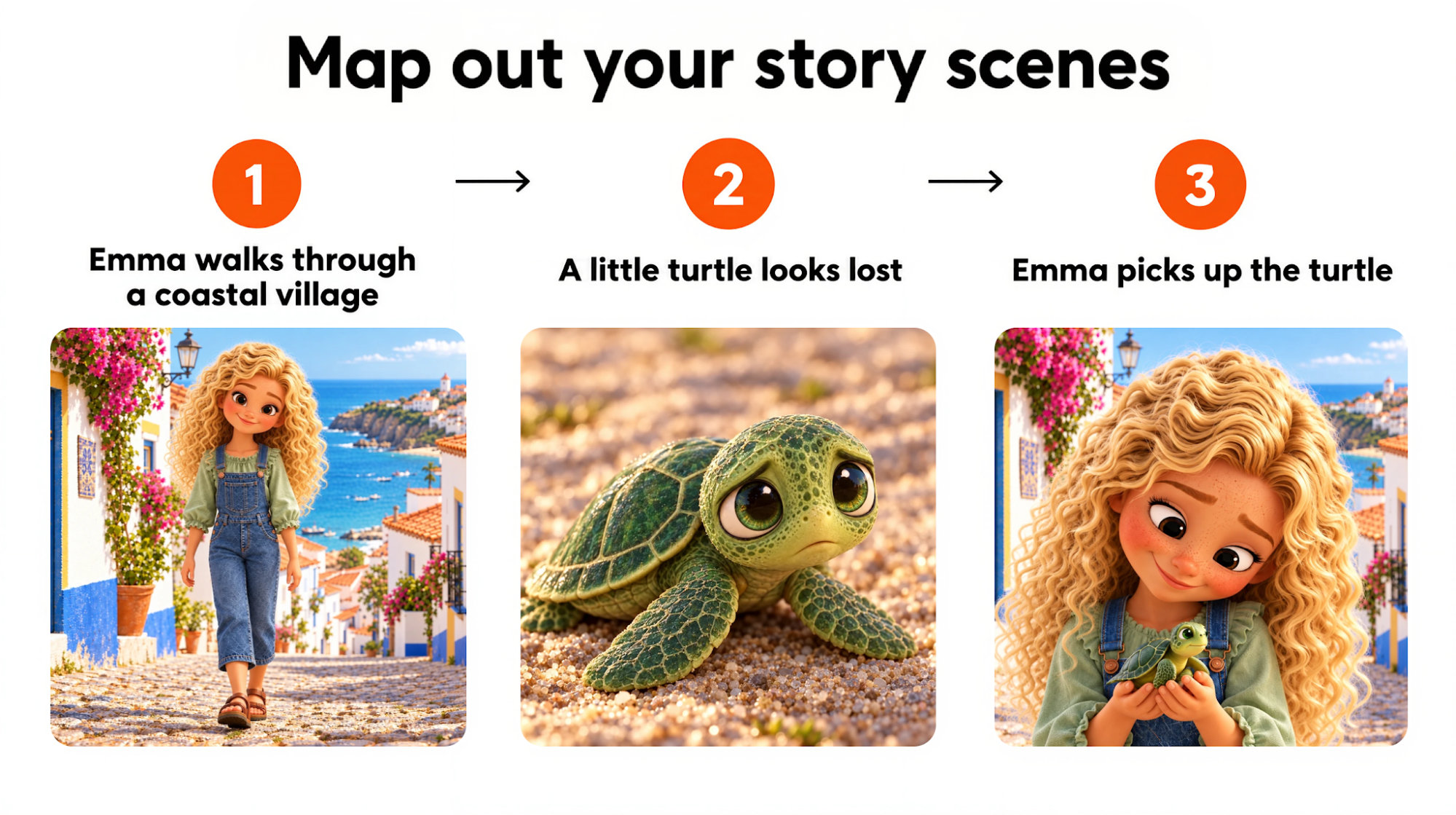
A three-step scene map: a girl walking through a coastal village, a lost little turtle on the path, and the girl picking the turtle up in her hands.
Create the illustrations
With the dummy, character list and notes ready, you can brief an illustrator or start making the images yourself. Professional illustration is the traditional route, and for a book bound for a traditional publisher it’s the publisher’s job to arrange.
For self-published authors working on a budget, it is now realistic to illustrate a children’s book with Neolemon or a similar tool. The workflow follows your plan closely:
- Create the main character from a written description or a photo, in the style you want for the whole book.
- Generate a clean full-body reference image on a plain background.
- Work through the dummy spread by spread, describing each scene from your illustration notes.
- Use the editors to adjust a pose, an expression, an outfit or a background without changing who the character is.
- Combine characters in one scene where the story calls for it.
Expect to revise. Seeing a scene drawn often shows that a sentence is no longer needed, because the picture already says it. When that happens, cut the sentence.
Combine illustrations with text
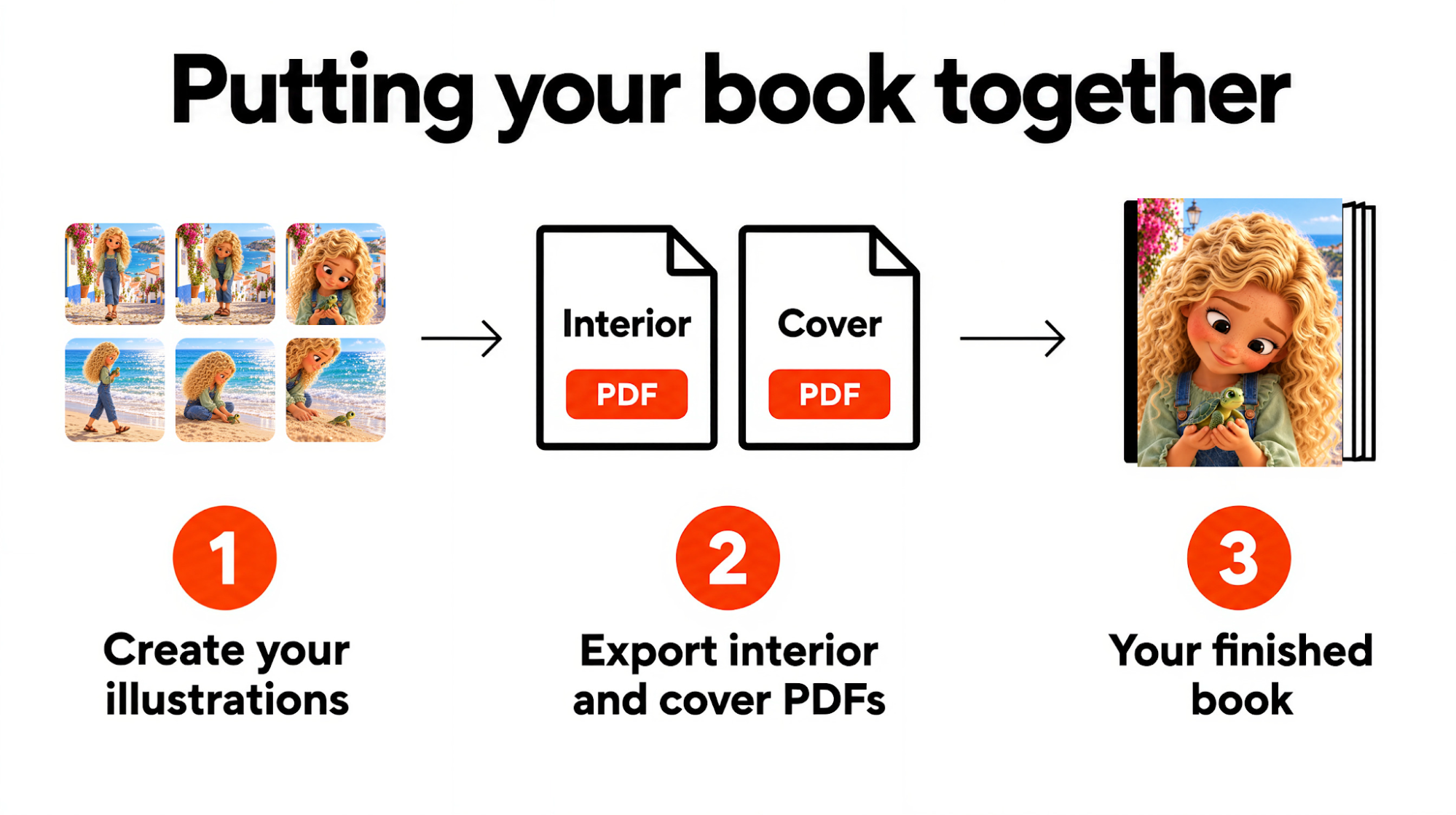
The final step is layout, where the words go onto the pictures. A few practical rules:
- Plan text space when you create each illustration. Leave a calm area of sky, wall or floor where the words can sit without covering faces or important action.
- Keep text and important details away from the gutter, the fold in the middle of a spread, where they can disappear into the binding.
- Respect the printer’s margins and bleed. Amazon KDP, for example, requires artwork that runs to the edge to extend 0.125 inches past the trim line.
- Export images at 300 DPI or higher for print.
A three-step graphic: create your illustrations, export separate interior and cover PDFs, and hold your finished printed book.
Some illustration tools now handle part of this. Neolemon, for instance, lets you gather your illustrations into a project, choose supported book sizes, and export separate interior and cover PDFs in the format KDP expects. Canva is the more flexible option if you want full control over typography and layout.
Before you publish, print a rough copy and read it aloud to a child in the age range you’re writing for. Watch where they lean in and where they fidget. Those reactions will tell you more about your page turns than any rule.
Before you start drawing
A manuscript turns into a picture book through dozens of small decisions about what to show, what to say and what to save for the turn of a page. Making those decisions on a thumbnail plan, before any final art exists, saves time and money, and it usually produces a better book. Whether you work with an illustrator or create the images yourself, the thumbnail plan is the place to start.